
AnyErase Watermark Remover3.4.0 - Download
You'll be able to download in few seconds.
Publisher Description
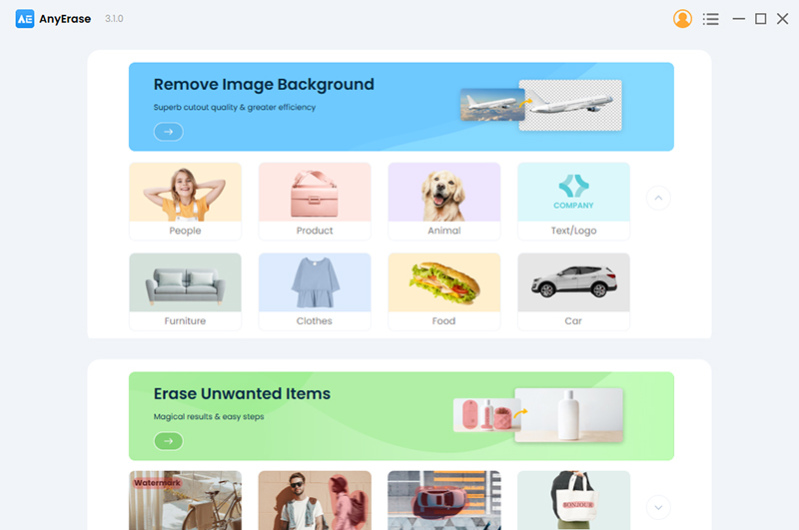
AnyErase is a professional watermark eraser and background remover. Backed up by advanced AI technology, AnyErase makes tedious photo editing easy and effortless, and provides a satisfactory result.
First, as a watermark remover, it features both rectangle and brush tools to erase watermarks accurately. You can use the rectangle tool to quickly select undesired objects/people/text/logos, etc. Then AnyErase will accurately detect all items you select and delete them instantly. In addition, you can even further retouch the image with the brush tool. It is ensured that no unwanted pixels remain on the photo and that the exported photo looks natural. Suppose youd like to photoshop someone out of a picture, come to AnyErase to get a hassle-free method.
Second, AnyErase is also specialized in deleting background, which solves the tough problem of making the background transparent. When you want to take the background out of the picture, upload the photo to AnyErase. Here, you dont need to smear the background painstakingly because AI technology will do all the complicated operations for you. It will intelligently identify the subject on the photo and then remove the background while leaving a fine-tuned cutout. There are 8 cutout modes for option. You can use AnyErase to remove background from people, products, animals, cars, and so on. Owing to its powerful removal capability, this background remover is perfect for different marketplaces, such as e-commerce, photography, social media, website projects, personal cases, etc. No matter how complex the image is, this background remover helps make images transparent instantly and presents high-precision results.
About AnyErase Watermark Remover
This Editors program is available in English. It was last updated on 02 November, 2026. AnyErase Watermark Remover is compatible with the following operating systems: Windows.
The company that develops AnyErase Watermark Remover is AmoyShare Technology Company. The latest version released by its developer is 3.4.0.
The download we have available for AnyErase Watermark Remover has a file size of 121.6 MB. Just click the green Download button above to start the downloading process. The program is listed on our website since 2023-04-25 and was downloaded 0 times. We have already checked if the download link is safe, however for your own protection we recommend that you scan the downloaded software with your antivirus. Your antivirus may detect the AnyErase Watermark Remover as malware if the download link is broken.
How to install AnyErase Watermark Remover on your Windows device:
- Click on the Download button on our website. This will start the download from the website of the developer.
- Once the AnyErase Watermark Remover is downloaded click on it to start the setup process (assuming you are on a desktop computer).
- When the installation is finished you should be able to see and run the program.
Program Details
System requirements
Download information
Pricing
Version History
version 3.4.0
posted on 2023-04-25
1. Remove watermark from image
2. AI technology to make the background transparent
3. Remove background from image
4. Provide 8 cutout mode options to remove bg
5. Memory performance increased by 40%
6. Solving playback display problems, improving overall fluency stability
version 3.4.0
posted on 2023-04-25
1. Remove watermark from image
2. AI technology to make the background transparent
3. Remove background from image
4. Provide 8 cutout mode options to remove bg
5. Memory performance increased by 40%
6. Solving playback & display problems, improving overall fluency & stability
Disclaimer
External Download
We do not host AnyErase Watermark Remover on our servers. We did not scan it for viruses, adware, spyware or other type of malware. This app is hosted by the software publisher and passed their terms and conditions to be listed there. We recommend caution when installing it.
The external download link for AnyErase Watermark Remover is provided to you by apps112.com without any warranties, representations or guarantees of any kind, so access it at your own risk.
If you have questions regarding this particular app contact the publisher directly. For questions about the functionalities of apps112.com contact us.
